실제 사진으로 시작하세요
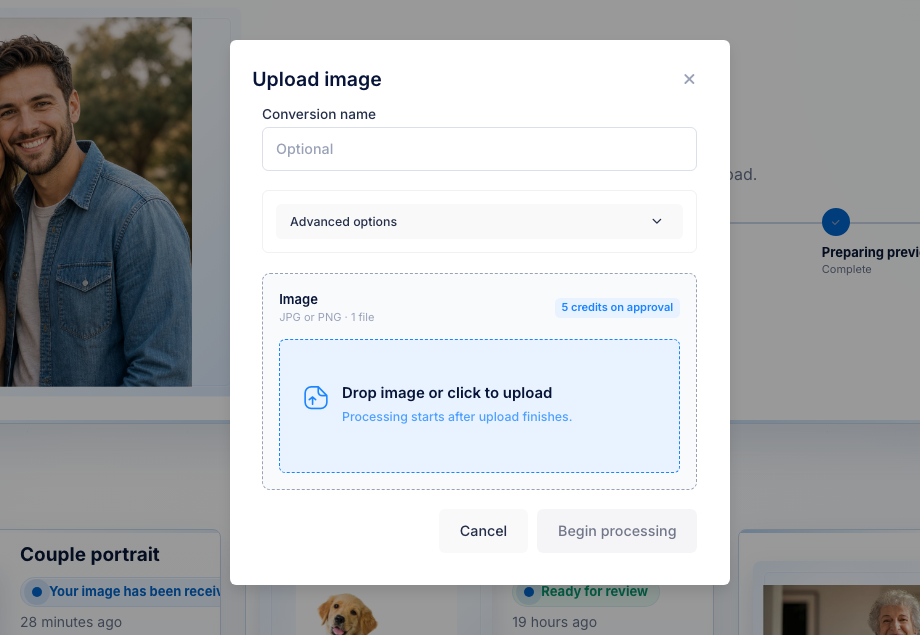
자리표시자 이미지가 아니라 고객의 JPG 또는 PNG를 사용하세요.


UV 레이저 워크플로 파일
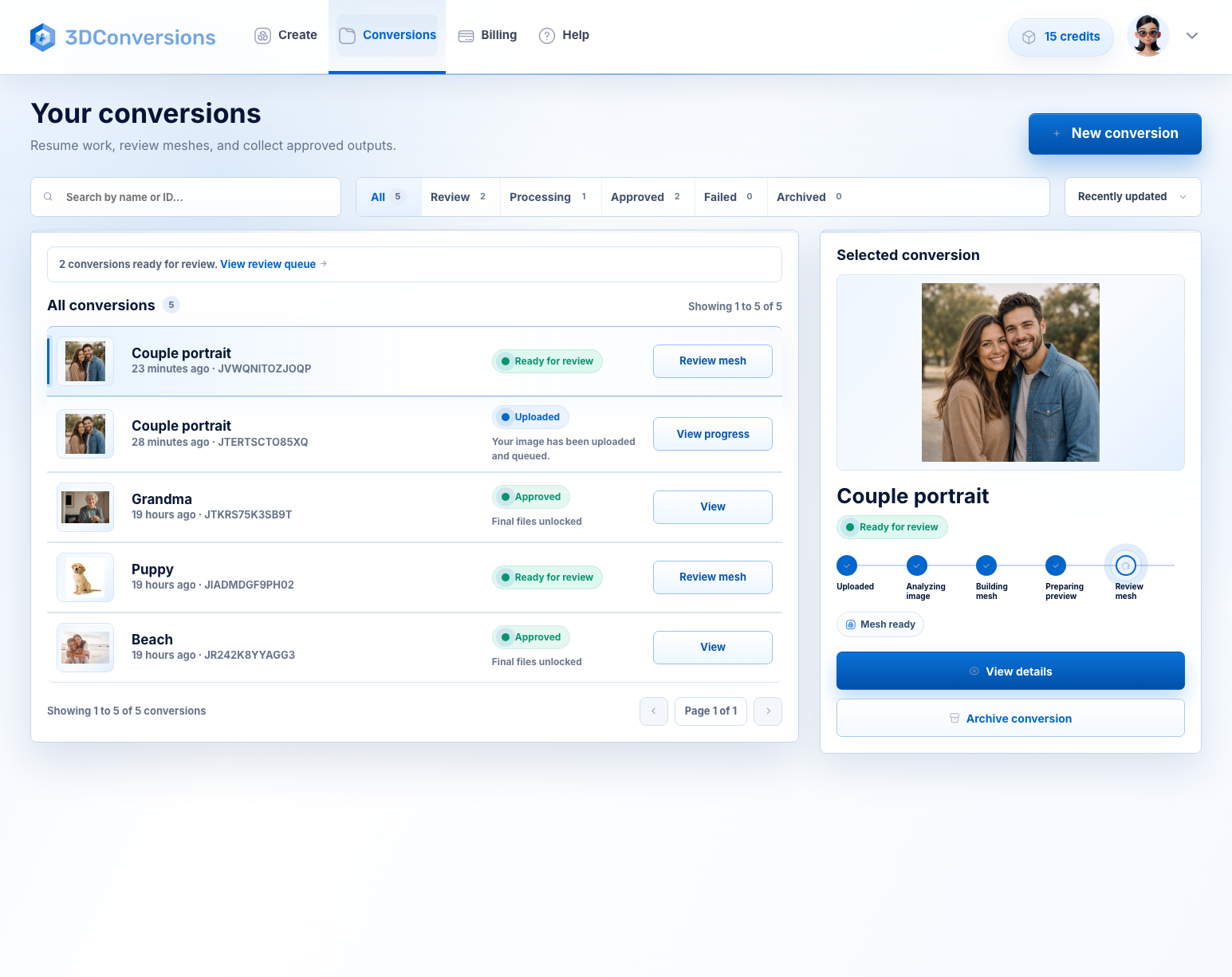
고객은 평면 인물 사진, 반려동물 사진, 추모 이미지, 제품 사진을 보냅니다. 3DConversions는 이를 크리스탈, 유리, 서브서피스 방식 UV 레이저 워크플로에서 검토 가능한 3D 깊이 파일로 변환하며, 최종 확인은 사용자의 장비에서 직접 진행합니다. 업로드와 미리보기는 무료이고, 파일 승인은 5크레딧($5 USD)입니다.
신용카드는 필요 없습니다. 25개의 무료 크레딧이 포함되어 승인 파일 5개에 충분합니다. 모델러 대기열도, 맞춤 견적도 없습니다. 승인하기 전까지 크레딧은 사용되지 않습니다.
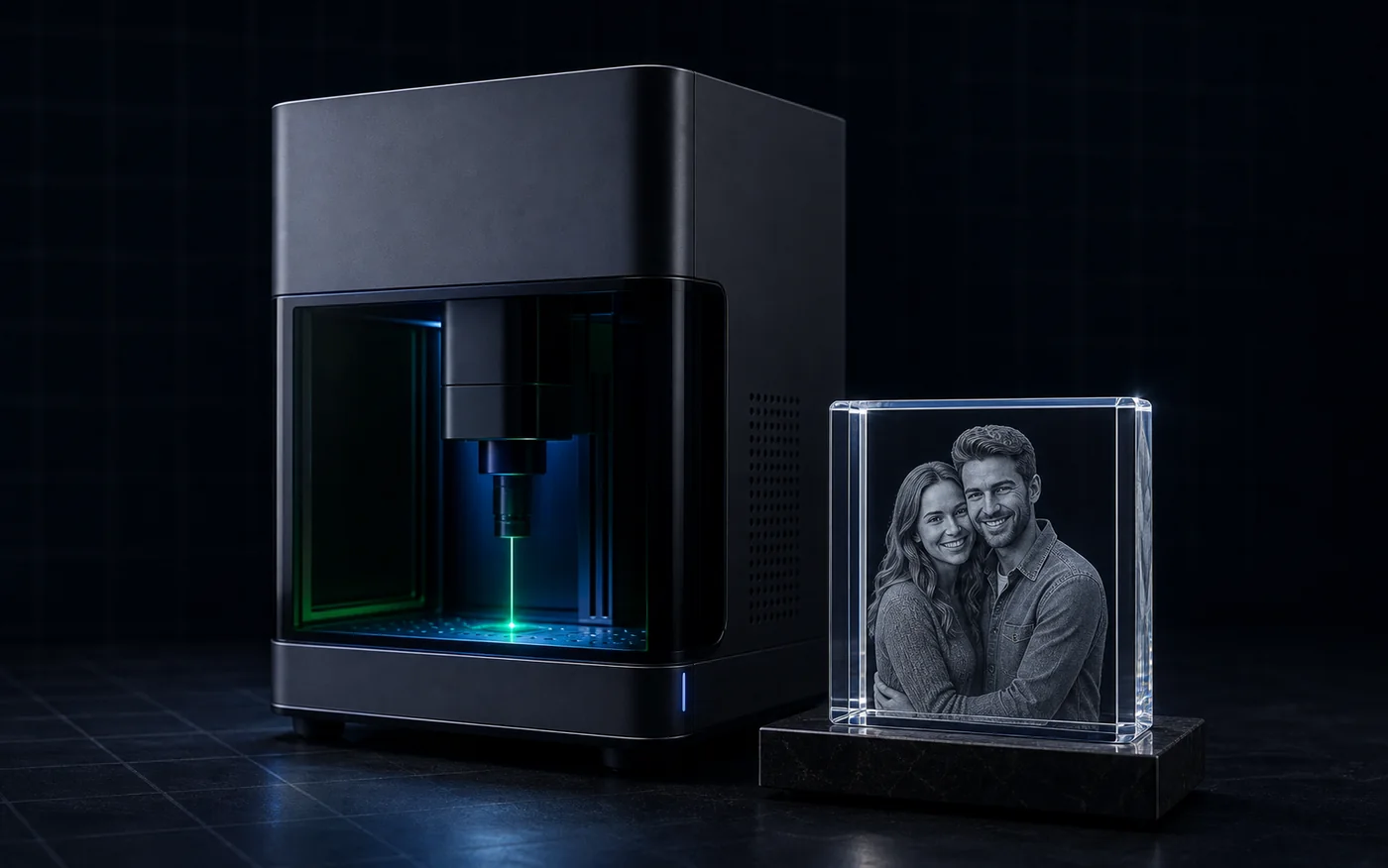 크리스탈/유리 내부 각인 결과물
파일 병목 현상
UV 레이저만으로 파일 문제가 해결되지는 않습니다. 고객이 일반 사진을 보내면 크리스탈, 유리, 내부 조각 제품을 만들기 전에 사용할 수 있는 깊이가 필요합니다. 3DConversions는 첫 파일 판단을 빠르게 도와줍니다. 이 사진을 승인할지, 시간을 낭비하기 전에 건너뛸지 확인하세요.
자리표시자 이미지가 아니라 고객의 JPG 또는 PNG를 사용하세요.
크레딧이 사용되기 전에 생성된 3D 깊이를 확인하세요.
승인된 각 파일은 5크레딧을 사용합니다. 1크레딧 = $1 USD.
UV 레이저 설정, 초점, 재료 테스트, 소프트웨어 워크플로는 계속 사용자가 관리합니다.
Workflow
고객 사진을 UV 레이저 워크플로용 3D 파일로 만들 가치가 있는지 빠르게 판단하는 방법입니다.
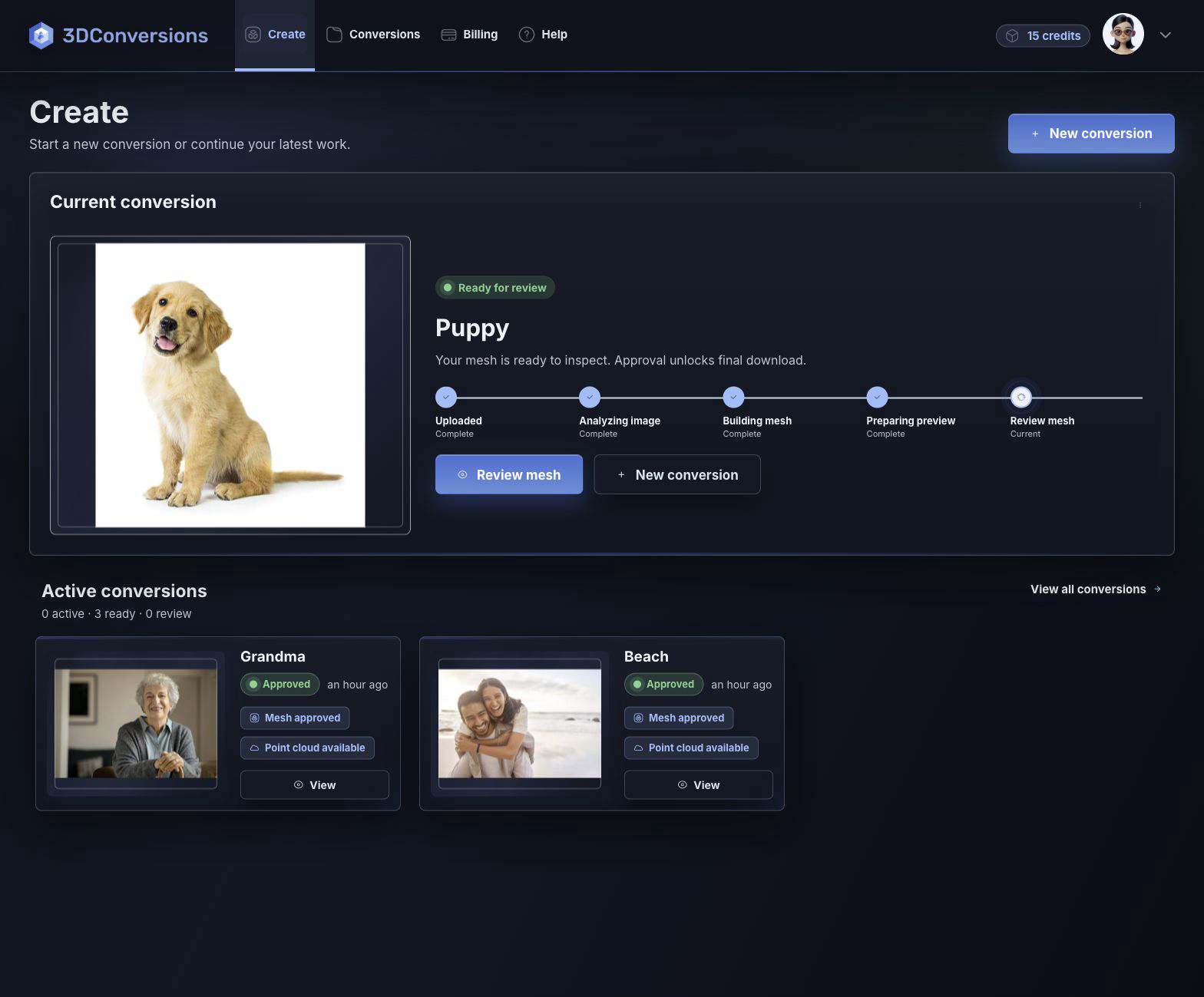
고객이 이미 보낸 JPG 또는 PNG로 시작하세요.
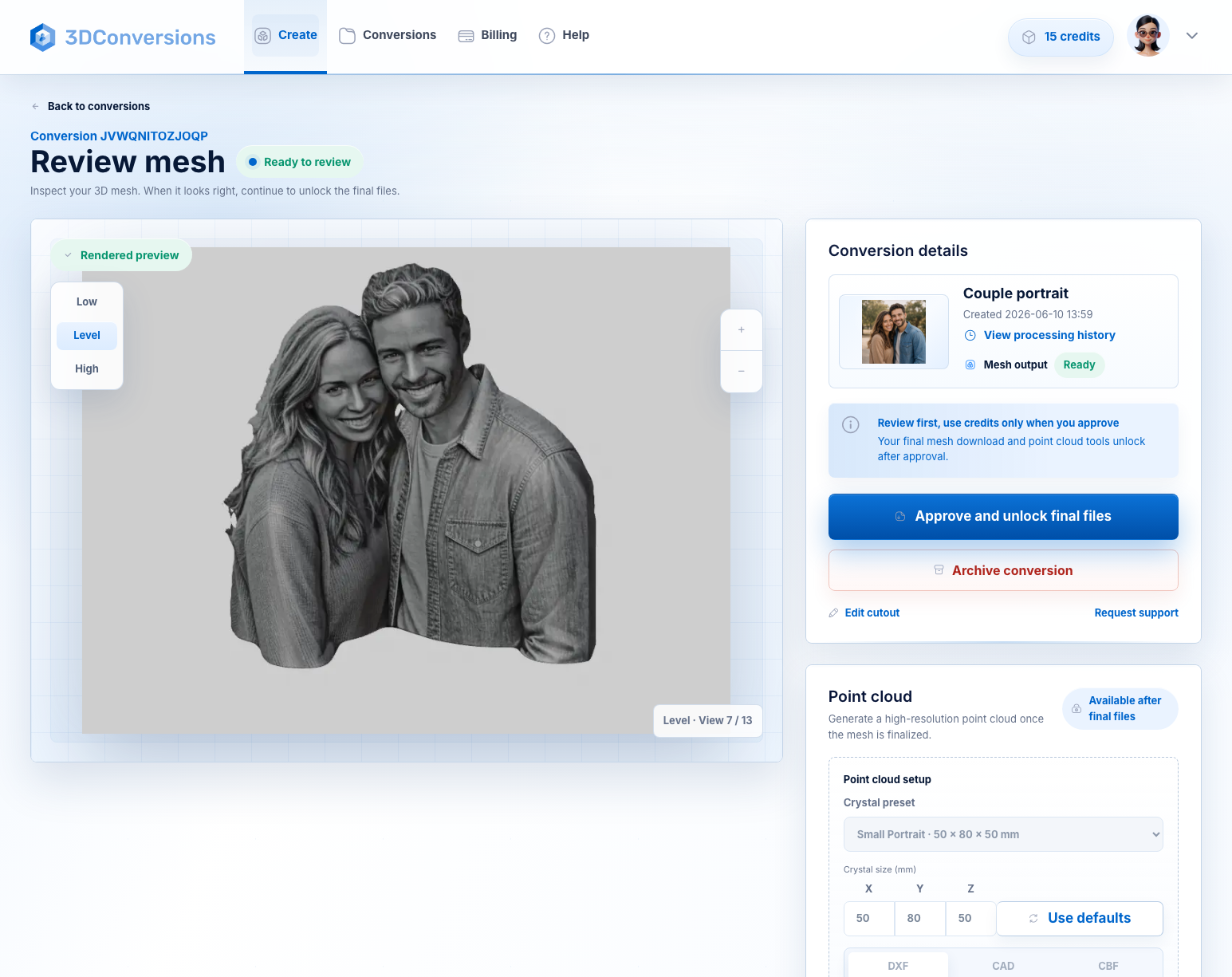
크레딧을 사용하기 전에 생성된 3D 깊이 메시를 검토하세요.
미리보기가 준비되면 5크레딧($5 USD)으로 승인하고 OBJ와 포인트 클라우드 내보내기를 다운로드하세요.
일반적인 고객 이미지 파일로 시작하세요.

OBJ 승인 후 메시.
DXF, CAD, and CBF after approval.
승인된 파일당
1크레딧 = $1 USD. 업로드, 처리, 미리보기는 무료입니다.다운로드는 승인 후 사용할 수 있으며 OBJ 메시와 DXF, CAD, CBF 포인트 클라우드 내보내기가 포함됩니다.
파일 및 출력 세부정보
3DConversions는 사진을 깊이로 변환하는 단계를 처리합니다. UV 레이저 작업은 사용자가 맡습니다. 생성된 3D 파일을 먼저 미리 본 다음, 크리스탈, 유리, 서브서피스 조각 워크플로에 사용할 파일만 승인하세요.
355 nm UV 장비를 포함한 UV 레이저 크리스탈, 유리 및 내부 각인 워크플로에 맞게 설계되었습니다. 각인에 바로 사용할 수 있는 3D 깊이 파일을 준비하며, 출력, 속도, 초점 또는 장비 보정 설정은 선택하지 않습니다.
예시 결과
사진을 업로드하고 생성된 깊이 미리보기를 회전해 피사체 형태, 가장자리, 얼굴 또는 반려동물의 깊이를 승인 전에 확인하세요. 피사체가 약하면 승인하지 마세요. 준비되었다면 파일을 다운로드하고 UV 레이저 워크플로로 이동하세요.
25크레딧으로 무료 시작
깊이 생성
UV 레이저 조각 질문
예. 이는 UV 레이저 운영자가 고객 사진을 크리스탈, 내부 유리, 인물 사진, 애완동물, 기념관 및 선물 조각 작업 흐름을 위한 3D 파일로 변환하는 데 사용됩니다.
이 워크플로는 3D 모델링 대기열에서 며칠을 기다리는 것이 아니라 몇 분 안에 판단하도록 설계되었습니다. 고객 이미지를 업로드하고 생성된 깊이 미리보기를 검토한 뒤, 결과가 준비된 경우에만 최종 파일을 승인하세요.
승인된 각 파일은 5크레딧($5 USD)을 사용합니다. 업로드, 처리, 미리보기는 무료이므로 최종 파일을 승인할 때만 크레딧이 사용됩니다.
예. 3DConversions는 크리스탈, 유리, 유리 내부 조각 작업을 포함한 UV 레이저 조각 워크플로용 사진-3D 깊이 미리보기와 최종 파일 내보내기를 준비합니다. 장비 출력, 초점, 렌즈, 소프트웨어, 재료 설정, 보정은 사용자의 레이저 워크플로에서 관리합니다.
UV 레이저는 많은 355 nm 시스템이 더 저렴하고 콤팩트하며 유리, 크리스탈, 아크릴, 코팅 금속, 상패, 선물 워크플로 전반에 유용하기 때문에 소규모 작업장에 매력적입니다. 녹색 532 nm 시스템은 클래식 서브서피스 크리스탈 조각에서 검증된 전문 선택지로 남아 있습니다. 어느 쪽이든 고객 사진에는 사용할 수 있는 3D 깊이가 필요합니다.
아니요. G 코드, 속도, 전력, 초점, 재료 사전 설정 또는 기계 보정 설정이 아닌 3D 조각 파일을 생성합니다.
승인 후 UV 레이저 조각 작업 흐름을 위한 OBJ 메쉬와 DXF, CAD 및 CBF 포인트 클라우드 내보내기를 다운로드할 수 있습니다.
사진 한 장으로 시작해 보세요
25크레딧이 포함된 무료 계정을 만들고, 고객 사진을 업로드하고, 생성된 3D 깊이를 미리 본 다음 피사체 형태, 가장자리, 얼굴 또는 반려동물 깊이를 사용할 가치가 있을 때만 최종 파일을 승인하세요.
신용카드는 필요 없습니다. 무료 가입에는 승인 파일 5개에 충분한 25크레딧이 포함됩니다. 승인된 각 파일은 5크레딧($5 USD)을 사용합니다.