Move orders faster
Start from the customer images you already receive: portraits, pets, memorial photos, products, and gifts.


Photo to 3D crystal engraving
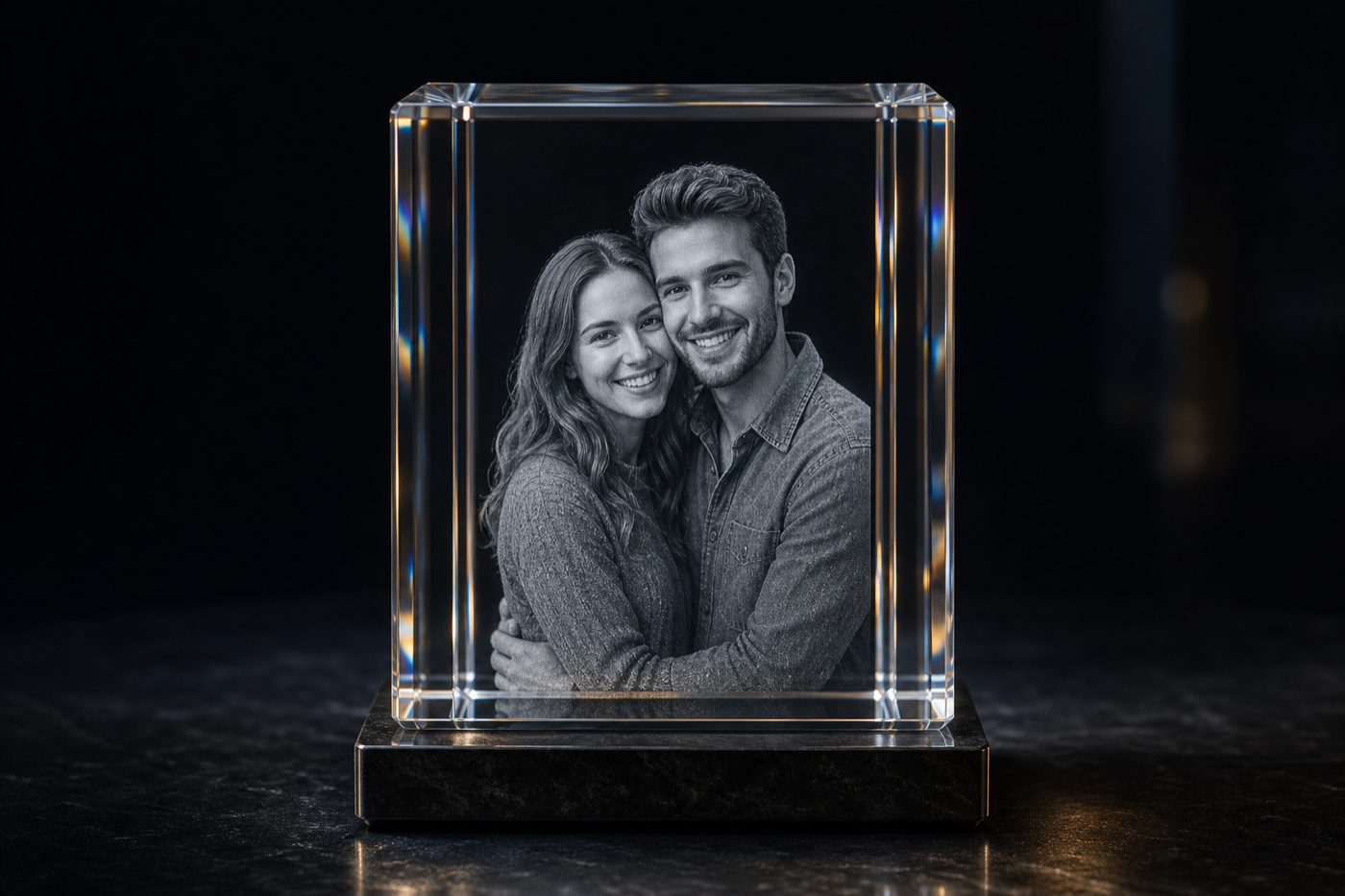
Use a photo to 3D crystal engraving workflow for portraits, pet photos, memorial images, and product shots. Inspect the generated 3D depth before using credits, then approve only when the crystal engraving files are ready to download.
No credit card required. 25 credits included. 1 credit = $1 USD. Upload and review are free.
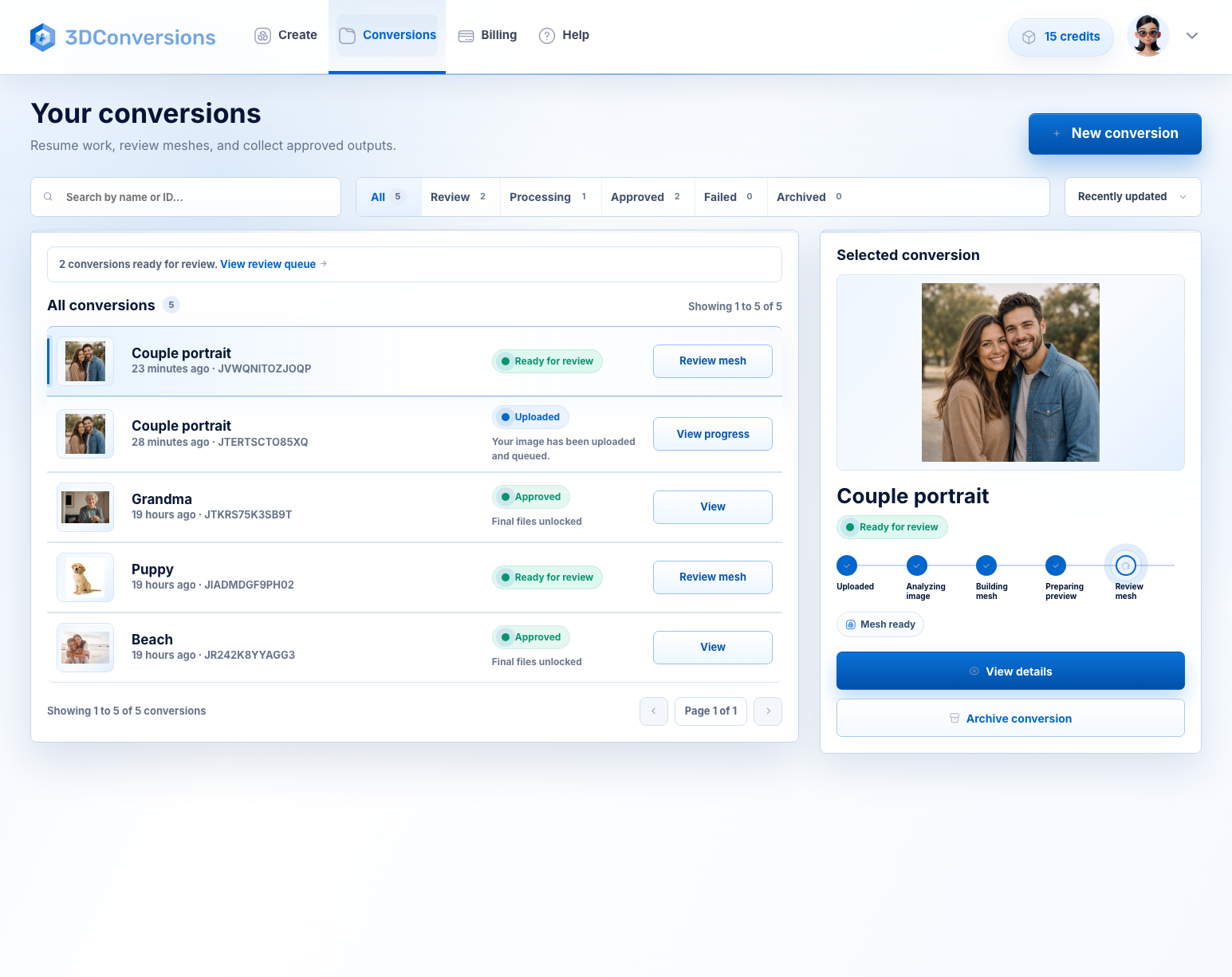
Built for crystal engraving teams
A flat customer photo is not enough for a reliable photo to 3D crystal engraving workflow. You need subject shape, readable depth, and the right downloadable files without spending credits on results you have not reviewed. 3DConversions keeps approval in your hands.
Start from the customer images you already receive: portraits, pets, memorial photos, products, and gifts.
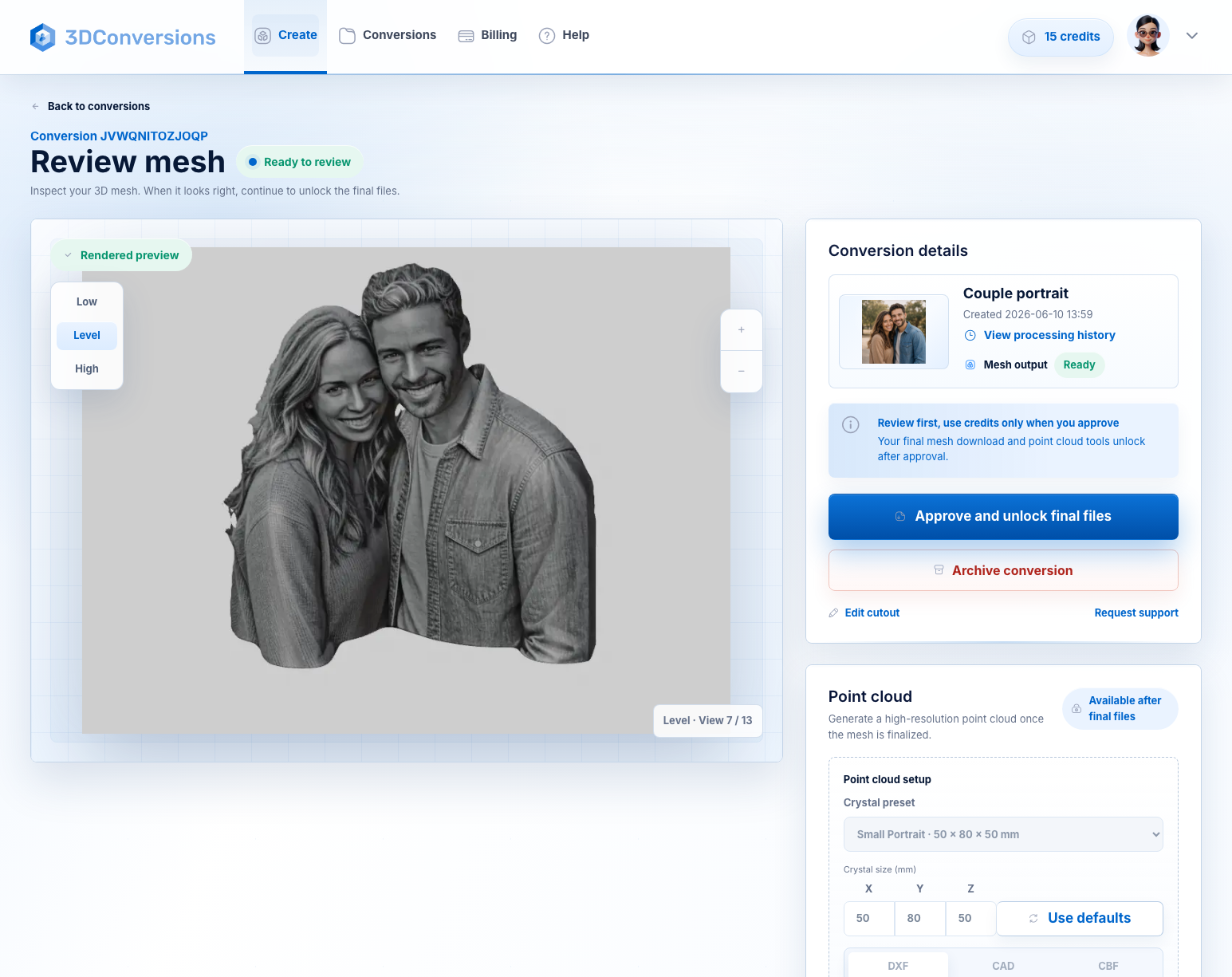
Inspect the generated preview so the subject, silhouette, and depth are clear before approval.
Approve the mesh, then download OBJ plus DXF, CAD, or CBF point-cloud files for your workflow.
Workflow
A practical path from customer photo to approved 3D crystal engraving files.
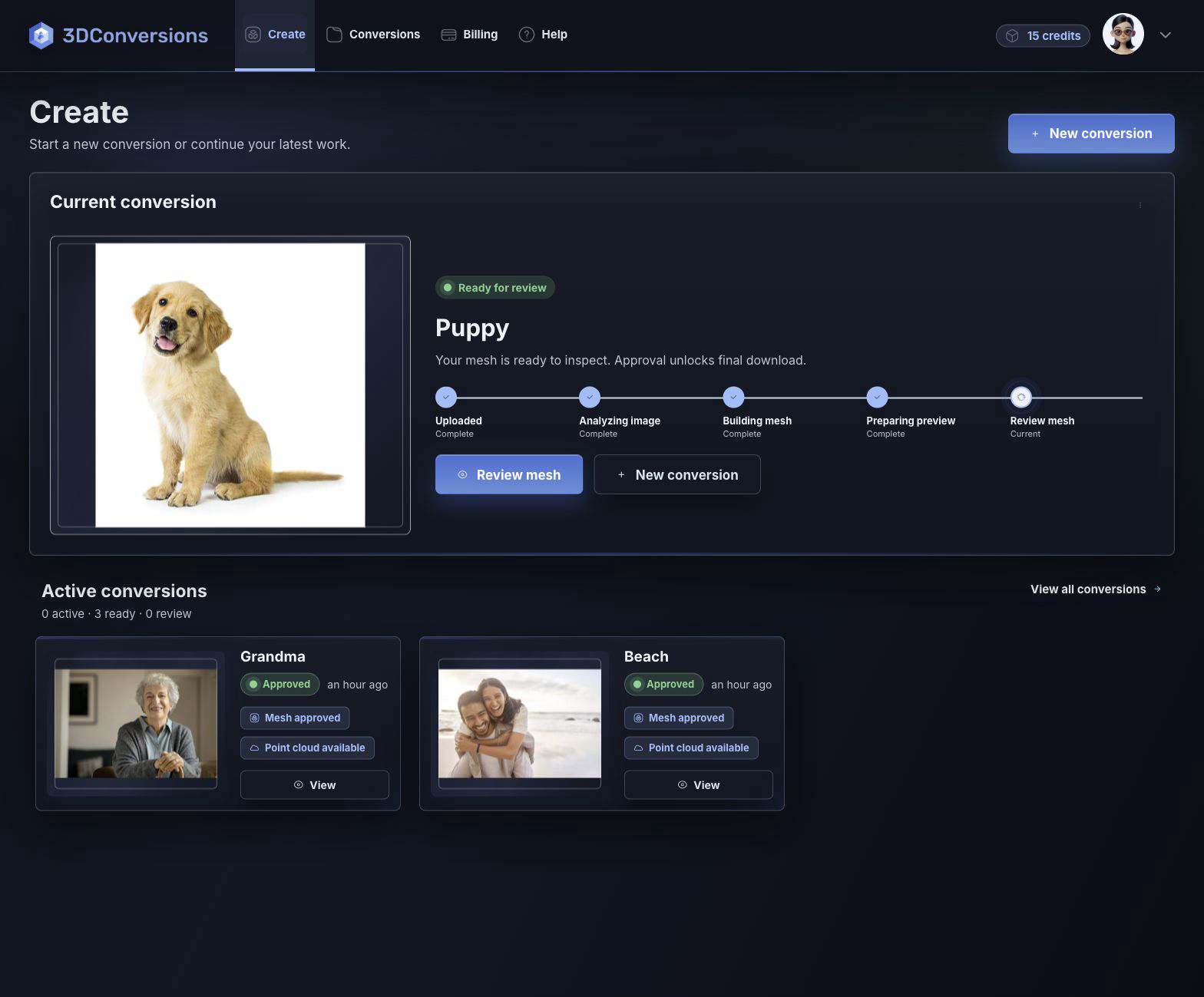
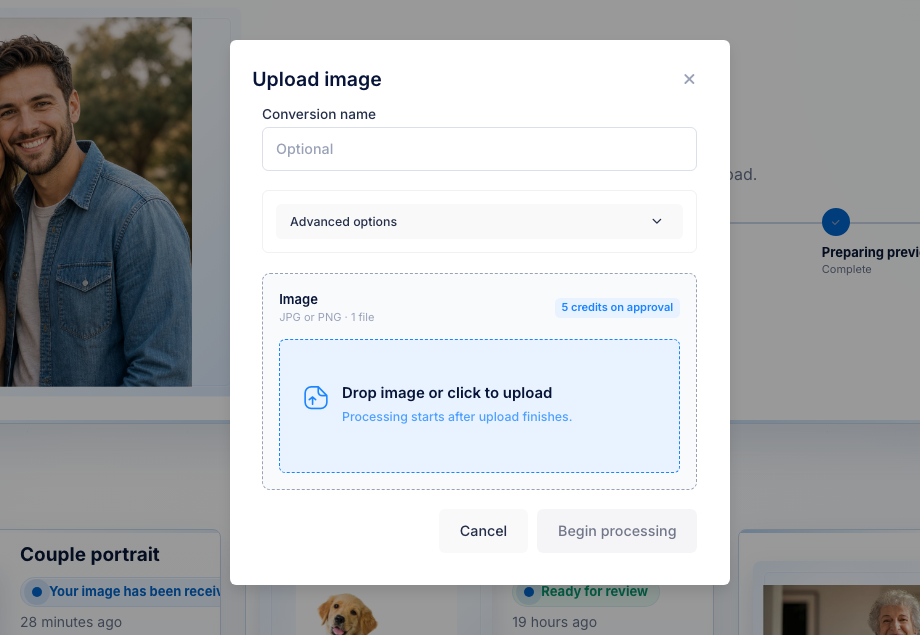
Add a JPG, PNG, or HEIC from a customer order and choose whether to keep the full image or focus on the subject.
3DConversions builds a reviewable mesh preview so you can inspect the conversion before approval.
Rotate the preview and check the subject edge, background, and depth before moving forward.
Credits are used only after you approve the completed conversion.
Download the approved OBJ mesh, plus DXF, CAD, or CBF point-cloud files after approval.
Upload customer photos in JPG, PNG, or HEIC.

OBJ mesh after approval.
DXF, CAD, and CBF after approval.
per approved image
1 credit = $1 USD. Upload, processing, and review are free.Downloads are available after approval and include OBJ mesh plus DXF, CAD, and CBF point-cloud exports.
Files and outputs
Start with common customer photos and finish with approved crystal engraving files built for subsurface laser engraving workflows.
Example conversion
Inspect the preview, check the subject edge and depth, then approve when the file is ready for your engraving workflow.
Upload your first photo free
Depth build
FAQ
Yes. The workflow is built for teams that need reviewable 3D meshes and approved mesh or point-cloud downloads for crystal engraving orders.
Yes. Uploading, processing, and review do not consume credits. Each approved image uses 5 credits, and 1 credit = $1 USD. Credits are used only when you approve a completed conversion for final files.
Clear portraits, pet photos, product shots, and memorial images work best when the subject is visible and not heavily obscured.
After approval, your 3D crystal engraving files include the OBJ mesh plus DXF, CAD, and CBF point-cloud exports.
Yes. The workflow supports intake, review, approval, and file download steps for personalized crystal order fulfillment.
Start a crystal conversion
Create a free account, upload a customer photo, and inspect the generated depth. Approve only when the file is ready for your engraving workflow.
No credit card required to start.