.svg)
01Upload



.svg)



Drag and drop your customer’s photo. 3DConversions generates an initial 3D mesh automatically.
Inspect the generated mesh. If the background or subject edge needs cleanup, adjust the cutout and rebuild the mesh before approval.
Approve the mesh to unlock your final files, then download the 3D mesh in OBJ format or export a ready-to-engrave point cloud in DXF, CAD, or CBF for your laser workflow.

DepthForge · Available for Windows and Mac
Bring your approved 3DConversions into DepthForge. Arrange the scene, add text, and create a point cloud for your laser.
5 Imports included · Card required
$39 USD/month after the trial
See plans and details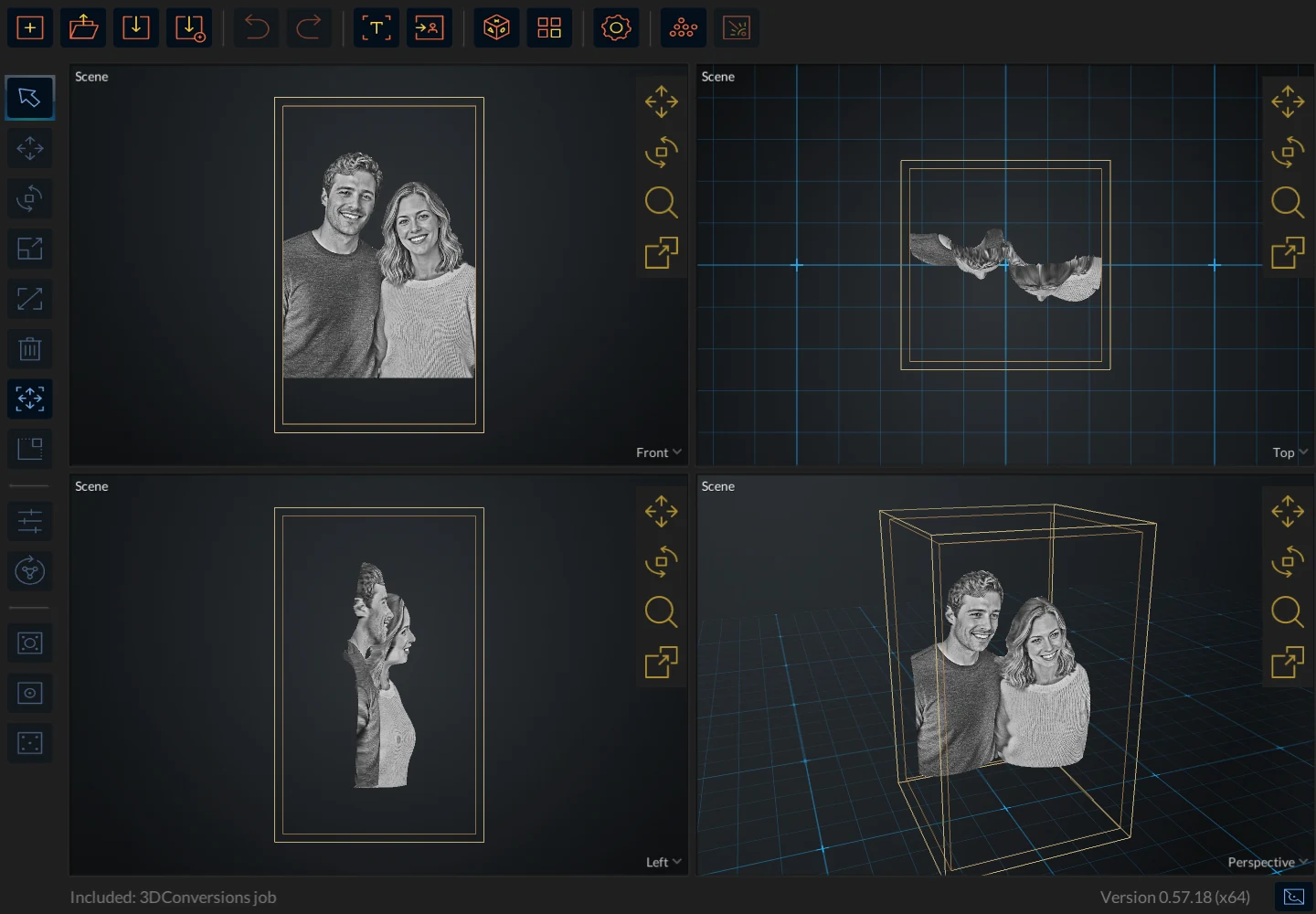
 The original photo
Open approved 3DConversions directly, or bring in your own 3D models.
Position your artwork inside the crystal. Add text, images, and logos to make it yours.
Preview your layout and export a point cloud in DXF, CAD, or CBF for your laser workflow.
Approved 3DConversions, text, and images do not use Imports. Imports apply to external 3D models.
Windows 64-bit and macOS (Apple silicon and Intel). The Windows installer is unsigned and may show a Windows security warning.